Automating Without Code: n8n, Make or Zapier, Which One to Choose as a Beginner?
By Anis Hammouche·October 30, 2026
To start without code, Zapier is the simplest choice for a first test. Make suits most beginners who chain several steps together. n8n is the most open, provided you accept a bit of technical work or host it yourself. The free plans and prices below come from the official pages, as of October 2026, and may change.
What an automation is, concretely
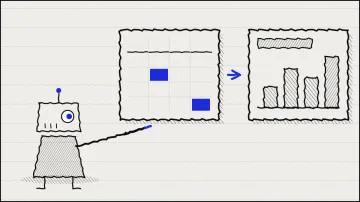
An automation is a sequence of steps that runs without you. A trigger starts the scenario: someone fills in a form, a file lands in a folder, an order is placed. Then one or more actions follow: writing the request into a spreadsheet, creating a record in your tracking tool, sending a confirmation message.
All three tools do the same thing at heart. They differ in how you build the scenario, how they count usage, and how much control you keep over your data. That last point matters more than the number of connected apps.
The comparison of free plans and prices
The table reflects what each tool's official page says, as of October 2026.
| Tool | Free plan (official page) | Paid plans shown | Counting unit | Suited to |
|---|---|---|---|---|
| Zapier | Free plan: 100 tasks per month | Pro: 750 tasks, $19.99 per month billed annually ($29.99 monthly) | Task (one successful action) | A first test, short scenarios, few of them |
| Make | Free plan: 1,000 credits per month | Paid prices not shown on the official pricing page, which vary with credit volume | Credit (usually one per operation) | A beginner who wants multi-step scenarios and a visual view |
| n8n | No permanent free cloud plan. Cloud trial without a card, limited to 1,000 executions. Free self-hosted Community version | Starter: €20 per month, 2,500 executions. Pro: €50 per month, 10,000 executions. Prices billed annually | Workflow execution | Sensitive data, self-hosting, a technical profile |
Two points. Make does not display its paid prices on its public pricing page: look at the current version, because the tiers depend on credit volume. And each tool counts differently. A Zapier task, a Make credit and an n8n execution are not the same thing. So compare the number of actions your scenario really needs, not the figure shown on the page.
For the official documentation: Zapier, Make, n8n.
Which one to choose for your profile
Zapier if you want a quick first result, with few steps and low volume. Its interface guides you well, but the free quota of 100 tasks per month runs out fast once a scenario runs every day.
Make if you want to build somewhat more elaborate scenarios: conditions, loops, several branches. The free plan lets you test properly before paying. It suits a beginner who already knows what they want to automate.
n8n if you handle sensitive data and want to keep it on your own server, or if you like understanding what happens under the hood. The self-hosted version is free, but you become responsible for hosting, updates and backups. It is not the right first tool for someone who has never configured a server.
A first scenario to build this week
Pick a scenario that saves time and touches nothing critical. For example: a request received through a form is added to a spreadsheet, then a notification reaches your phone.
- Create the trigger: "new form response".
- Add an action: "create a row in a spreadsheet".
- Add an action: "send a notification or a message".
- Test with a fake request, not a real one.
- Count the tasks or credits used for one run, then multiply by the number of requests you expect per month.
That last step is the one everyone skips. A scenario that uses five actions per request uses up a free quota much faster than you would expect.
What to check before letting it run
A badly built automation rarely shows its faults straight away. Check four things before putting it into service.
- Personal data. If the scenario transfers names, addresses or messages, check where they go and who processes them. The reference text remains the GDPR, and the CNIL publishes guidance on its website.
- Errors. A scenario that fails silently is worse than no scenario. Turn on the tool's failure notifications, and test the case where a field is empty.
- Duplicates. A badly set trigger can create the same row ten times. Review the history after the first few days.
- Quotas. A scenario that stops mid-week because its quota is used up is not a glitch, it is an incomplete design. Plan for the volume.
To go further on concrete cases, the page five concrete AI automations presents simple scenarios you can reproduce.
Frequently asked questions
Do you need to know how to code to use Make or Zapier? No. Both are configured with forms and menus. What you do need is to describe precisely what you want: which event triggers what, with which data.
Is the free plan enough for a real activity? It is enough to learn and for a light scenario. As soon as a scenario runs every day with several steps, calculate the real volume and compare the paid plans.
Can I switch tools later? Yes, but migrating takes time. Note the scenarios, the data they handle and the connections. A simple scenario is quick to rebuild, an old and poorly documented one much less so.
Is n8n really free? The self-hosted Community version is free. The real cost is the server, your maintenance time and security. The cloud offer, on the other hand, is paid after the trial.
Stuck on a specific case? Write to me via the contact page.