Writing Your Quote With Claude or ChatGPT: Why You Must Check Every Price and Term
By Anis Hammouche·October 21, 2026
Yes, you can use Claude or ChatGPT to prepare a quote. The AI handles structure and wording. It knows neither your rates, nor your tax status, nor your payment terms, unless you give them to it. If you do not, it fills the gaps with plausible values. That is where the risk lies.
What the AI does well
It drafts a clean quote: a clear layout, a list of services, professional wording, a consistent tone. It rewrites a description of work so that it reads well. It can also propose a set of terms, as long as you validate them afterwards.
This formatting work saves time, especially when you are starting and have no template yet. The gain is real on writing. It is not real on substance.
What it invents
When you ask for a quote without all the details, the AI completes it. It may write an hourly rate that matches nothing, apply or omit VAT by mistake, produce a validity period or payment deadline that are not yours, or add a late-payment penalty that is absent from your terms. It does so in the same confident tone as the rest, because it produces plausible text, not a verification.
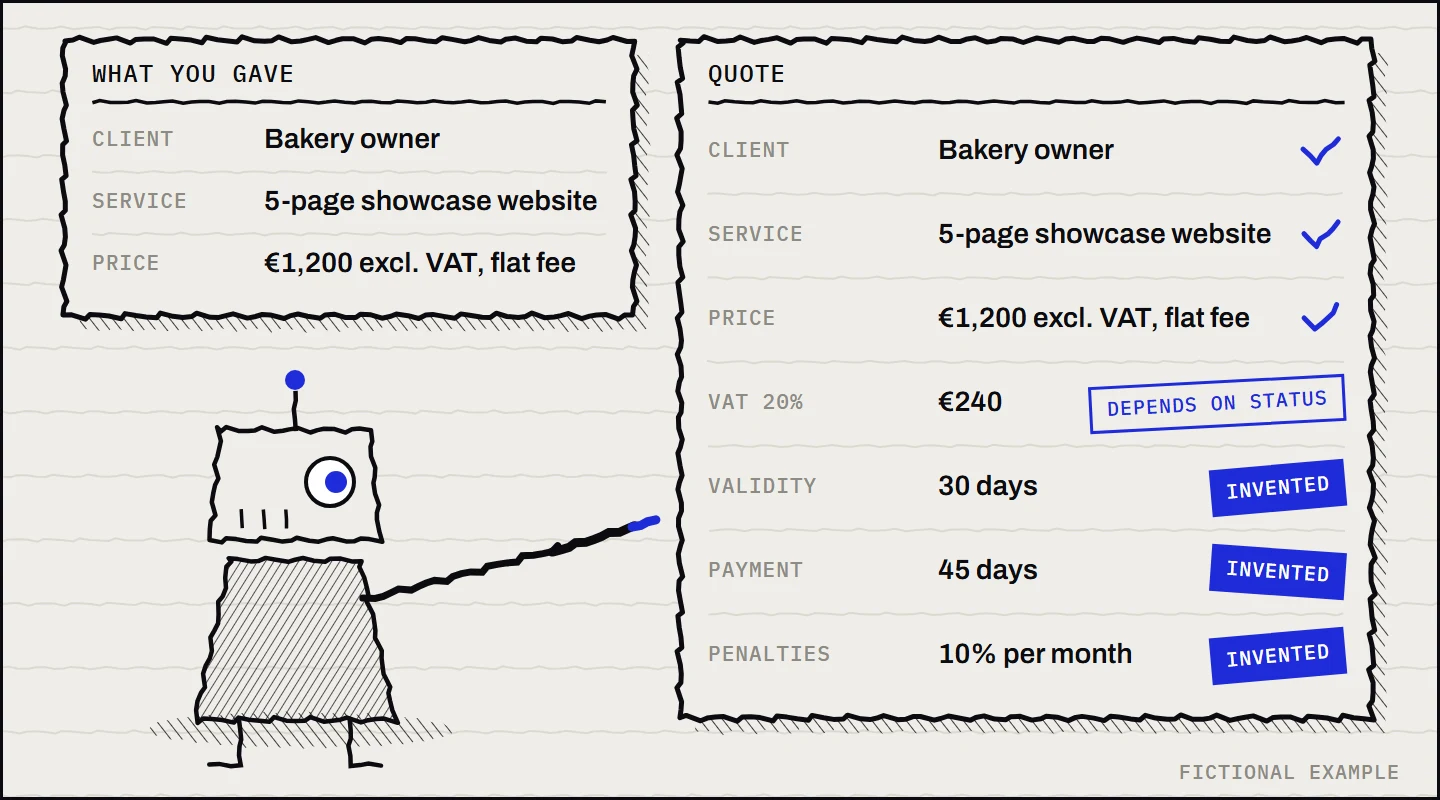
This is the hallucination problem: an answer that looks right is not necessarily right (see the article on hallucinations). For tasks to review with a method, see also briefing an AI like an intern and the cost of rework.
Legal mentions to check on official sites
I am not listing every mention a quote must contain here. It depends on your status (sole trader, company, VAT exemption or not) and on the nature of the service. For activities where a quote is mandatory, the official fiche Mandatory quotation: affected activities lists the expected mentions. For building work and home repairs, it asks in particular for the date, the identity of the company and the client, the exact nature of the work, the breakdown of services, the totals excluding and including VAT with the VAT rate, and the validity period. For invoices, the mentions are on the fiche Mandatory information on an invoice. Never reuse a legal mention from an AI answer without reading it in the official text.
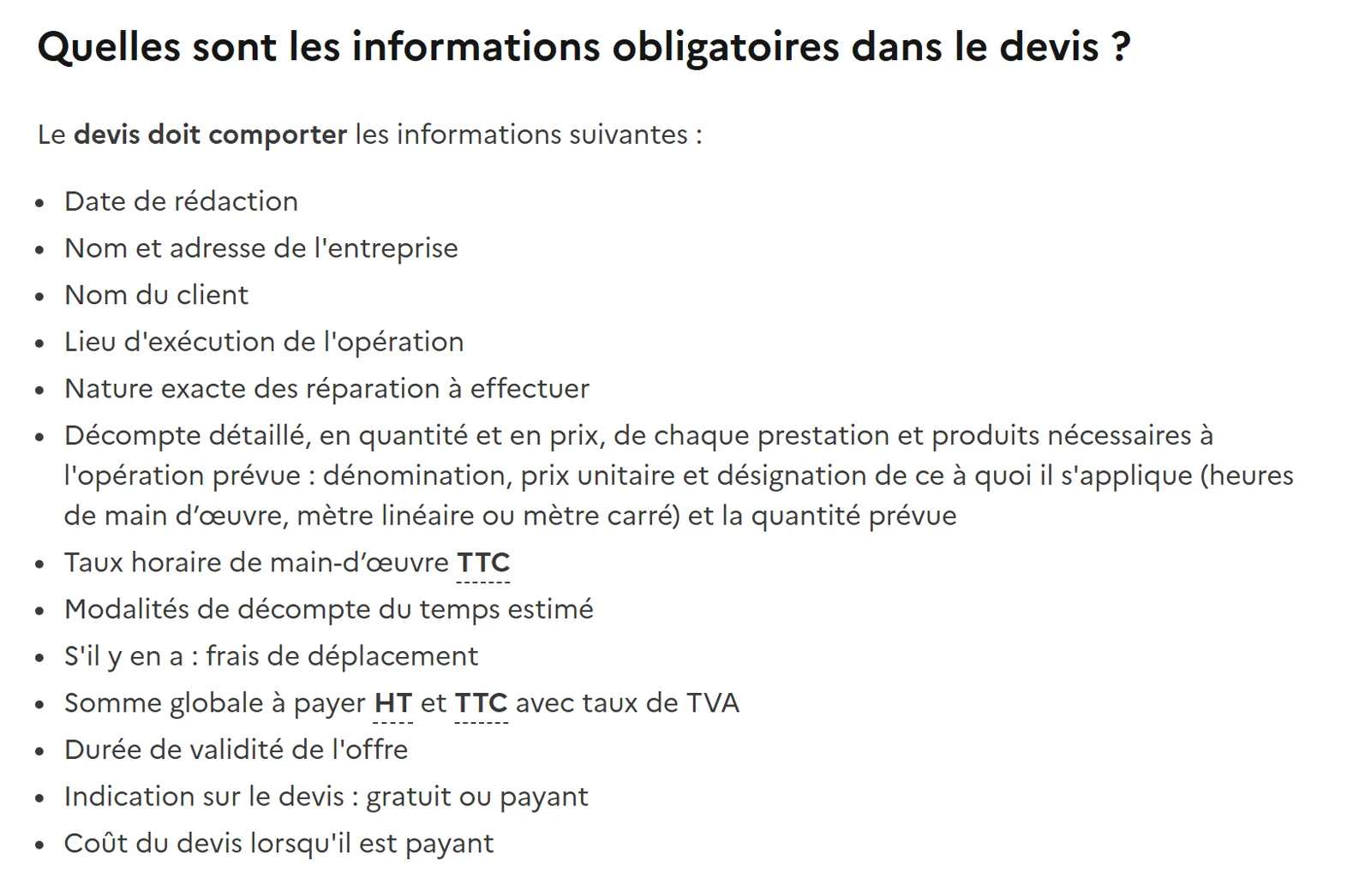
If you are exempt from VAT, the mention to put on the quote is a precise formula. Do not copy it from an AI answer: take it from the official text.
Review method
- Provide the real data. Your rates, your unit (hour, day, flat fee), your status, the validity period you want, your payment terms.
- Ask for a table. One row per service, with quantity, unit price and total. A table is faster to review than a paragraph.
- Check each price against your rate card. A price that is not on your card is an error, even if it looks consistent.
- Recalculate by hand. Total, VAT if applicable, rounding. A calculation error takes thirty seconds to spot.
- Check the mentions. Identity, date, validity, terms, penalties, VAT: check each line against the official list.
- Keep a reviewed version. Keep your template and note what was corrected, for the next quotes.
Here is a starting prompt, with fields for you to fill in:
Write a quote as a table for the following service.
My rates: [your rate and its unit].
Status: [your status].
Quote validity: [duration].
Payment terms: [your terms].
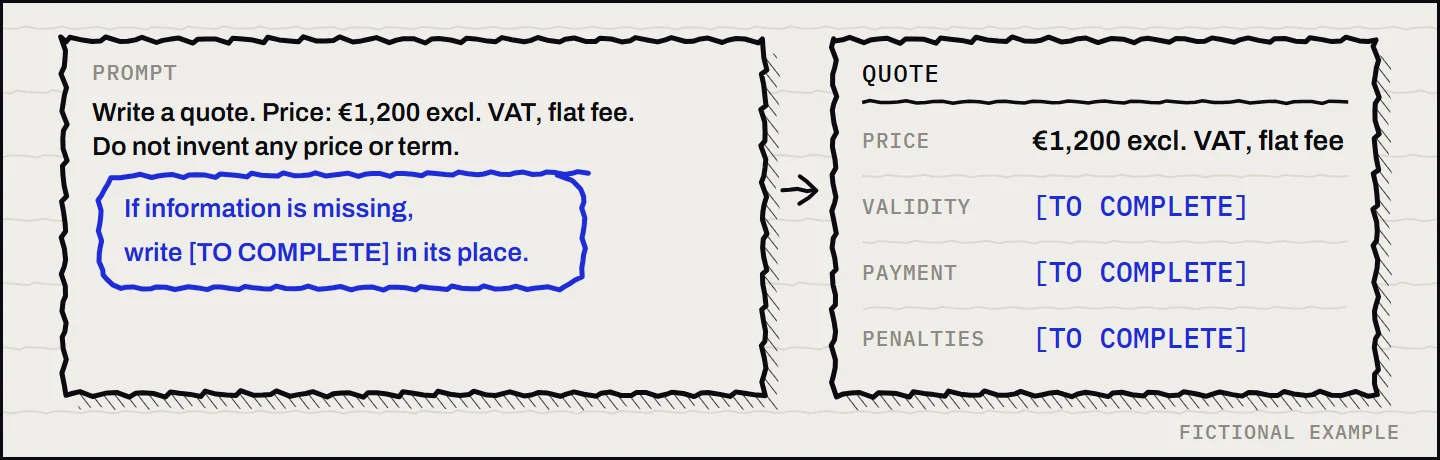
Do not invent any price, term or legal mention.
If information is missing, write [TO COMPLETE] in its place.
The last sentence matters. It forces the AI to flag what is missing instead of filling it in.
Typical errors in a generated quote
A few errors come up often. Look for them before reviewing the rest:
- A unit that changes mid-quote: the AI switches from hourly to flat fee without saying so, or applies a daily rate to an hourly service.
- A total that does not match the lines: the sum is sometimes rounded, or calculated on a line that was removed.
- VAT added when you did not ask for it: you must know whether you invoice with VAT, and why.
- An invented validity or payment deadline: these are commercial choices you must set yourself.
- A service described more broadly than what you offer: an overly wide scope creates expectations you cannot meet.
The rule stays the same: anything touching price, date, liability or a legal mention is checked before sending.
Frequently asked questions
Can AI write general terms of sale?
It can propose a draft. Do not use it as it is: terms of sale commit your business. Have a professional validate them if you have any doubt, and check each legal mention on the official sites.
Can a client refuse a quote written with AI?
The quote itself is not a problem. What matters is its content: prices, services and terms must be accurate and kept. A quote containing an error still binds your business.
Must you tell the client you used AI?
Whether to mention it depends on your business practice and your sector. Responsibility for the content stays yours, whatever tool you used.
Stuck on a specific case? Write to me via the contact page.