Paying Less for Your AI: The Right Model for Each Task
By Anis Hammouche·November 2, 2026
Take a freelancer or a small agency that has an AI sort 1,000 client messages a month. With Opus 5.5, a large Anthropic model, the bill is about $6; with Haiku 5.5, a small model from the same provider, about $0.15, forty times less (the assumptions behind the calculation are further down). To pay less for your AI, stop defaulting to the most powerful model: if the small model passes your task, that is the one you need.
The setup comes down to two choices: a fixed subscription or pay-per-use billing (the API), then the cheapest model that passes your test. The prices below come from the providers' official pages, as of October 2026.
Subscription or API: the first choice
A subscription gives you a fixed monthly amount, with a usage cap depending on the plan. An API bills you for every token sent and received. A token is a small piece of text, shorter than a word: an English word often counts as one or two tokens.
The choice depends on how you work. If you spend your days in a chat interface, a subscription is almost always simpler. If you plug AI into a tool or script that runs without you, the API is the natural route.
| Plan | Listed price (October 2026) | Best for |
|---|---|---|
| Claude Pro | $20 per month, or $17 per month on an annual plan ($200 billed upfront) | Daily chat use, moderate volume |
| Claude Max | From $100 per month | Heavy use, with a cap well above Pro |
Sources: Claude pricing and Anthropic API pricing documentation. Amounts are in US dollars, excluding taxes, as displayed. Currency conversion and VAT are your responsibility.
API prices, model by model
API prices are expressed per million tokens, for input then output. The table lists a few representative models from Anthropic.
| Model | Input (per million tokens) | Output (per million tokens) | Provider |
|---|---|---|---|
| Haiku 5.5 (up to 100,000 tokens) | $0.10 | $0.50 | Anthropic |
| Sonnet 5.5 | $2 | $10 | Anthropic |
| Opus 5.5 | $4 | $20 | Anthropic |
Two details in these price lists matter more than the headline price. Output costs more than input: at Anthropic, five times more, so a long answer weighs more than a long prompt. Anthropic also applies a 50% discount on batch calls, suited to tasks that don't need an immediate answer.
A worked example
Suppose you sort 1,000 customer messages a month. Each message is 500 input tokens, and each sorting answer is 200 output tokens. These are assumptions to replace with your real numbers.
- With Haiku 5.5: 0.5 million input tokens at $0.10 is $0.05; 0.2 million output tokens at $0.50 is $0.10. Total: $0.15.
- With Opus 5.5: 0.5 million input tokens at $4 is $2; 0.2 million output tokens at $20 is $4. Total: $6.
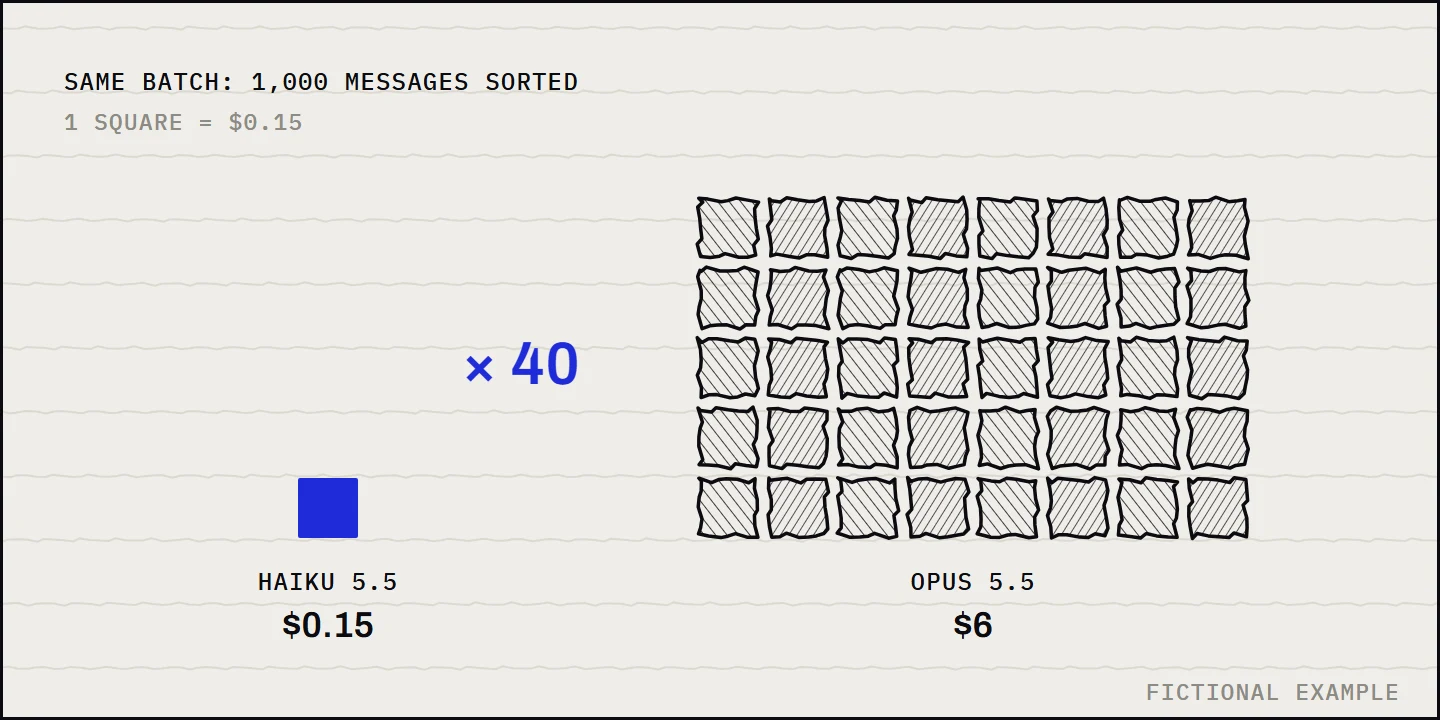
For the same work, the large model costs forty times more here. If you run these calls in batch, with the 50% discount Anthropic lists, the total drops to $0.075 with Haiku 5.5 and to $3 with Opus 5.5. The gap stays at forty to one. The calculation only holds if the small model passes your task, which is the next step. You can redo this calculation with this short script:
def cost_usd(input_tokens: int, output_tokens: int, input_price: float, output_price: float) -> float:
    """Cost in dollars, prices expressed per million tokens."""
    return input_tokens / 1_000_000 * input_price + output_tokens / 1_000_000 * output_price


print(cost_usd(500_000, 200_000, 0.10, 0.50))  # Haiku 5.5: 0.15
print(cost_usd(500_000, 200_000, 4, 20))       # Opus 5.5: 6.0
How to choose, step by step
- List your recurring tasks. Three to five is enough: sorting, summarizing, writing, code, analysis.
- For each one, take twenty real cases and run the smallest available model.
- Judge the answers with a written instruction, not by feel. This prompt does the review work:
You are a strict reviewer. Here is a customer request and the answer produced.
Reply OK if the answer is accurate, complete and in the right tone.
Otherwise reply FAIL, followed by one sentence explaining the problem.

Request: {request}
Answer: {answer}
- If eighteen of the twenty answers are good and the two failures can be fixed with a better instruction, keep the small model.
- Move up a tier only for tasks that still fail. If the answer isn't urgent, switch to batch.
Traps that inflate the bill
- Prompt caching keeps a context you already sent in memory, so you don't pay for it in full on every call. Anthropic charges for reading and writing this cache, with a default duration of 5 minutes. It helps if you always resend the same large document. It is useless if every call is different.
- US-only inference. Anthropic applies a price multiplied by 1.1 for this option. Enable it only if your data requires it.
- Fast mode. For Opus 5.5, it is markedly faster but is billed at twice the standard price. Keep it for cases where speed really matters.
- Repeated long contexts. A growing conversation history is paid again on every turn. Summarize it instead of resending everything.
What the official pages don't tell you
An official price list gives you a price, not an answer. Keep two limits in mind.
- It only covers one provider at a time. This article does not compare OpenAI: if you use it, add its prices from its official pricing page and note the date you checked them.
- It gives a price per model, not per use. Check the price of the exact model you want, not the provider's average, and see whether batch mode fits your task.
Batch is an asynchronous call mode: you send a set of requests, the answers arrive later, and the provider bills them less.
What changes fast
Providers state that their prices can change at any time. Note the date and price of each model you use, and check the official pages once a month.
Frequently asked questions
Is the smallest model always enough? No. It is enough for simple, repetitive tasks, as long as it passes your test on real cases. For long reasoning or difficult code, test a larger model and keep it only where it makes a difference.
Subscription or API: how do you decide? Compare your real usage over a typical month with the monthly subscription price. If the API bill for that month exceeds the subscription price, the subscription wins. Otherwise, the API costs less and lets you pay only for what you use.
Will these prices stay valid for long? No. They are dated October 2026, and providers can change them.
Should you pick a single provider to keep things simple? It isn't mandatory. One provider per task type can be cheaper. The simplest approach is to keep a table up to date with the task, the model and its price.