Automating Unpaid Invoice Reminders: What You Can Hand Off
By Anis Hammouche·October 27, 2026
You can automate reminders for overdue invoices. The decision to chase firmly, send a formal notice or negotiate a payment plan stays with you. Between businesses, a late payment gives rise to penalties and to a fixed indemnity of 40 euros per invoice. Rates change, so check them at every reminder, not just once.
What the Commercial Code says
The rules below apply to transactions between professionals. For a private individual, different rules apply.
Penalties. Article L. 441-10 of the Commercial Code sets a floor: the penalty rate cannot be lower than three times the legal interest rate. If the parties have not set a rate, the rate is that of the European Central Bank's most recent refinancing operation, plus 10 points. These penalties are payable without a reminder being necessary.
The legal interest rate changes every half-year. To find the rate in force, check the official page calculation of legal interest. A rate taken from an old article quickly becomes wrong.
The 40-euro indemnity. Decree D. 441-5 sets the fixed recovery indemnity at 40 euros. Paragraph II of article L. 441-10 provides that a professional in late payment is automatically liable for it. If your actual recovery costs are higher, you can claim the difference, on presentation of supporting documents. The indemnity cannot be claimed where insolvency proceedings prevent the debt from being paid when due.
Texts change. Check the version in force on Légifrance before you write an amount on an invoice. State the penalty rate and the amount of the indemnity in your general terms of sale and on your invoices. For a dispute, ask a legal professional.
What you can automate, and what you keep
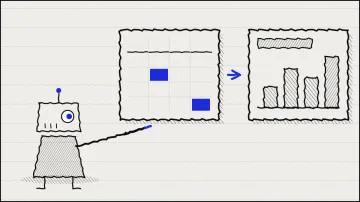
The table splits the steps between what can go out without you and what needs your approval.
| Step | Automatable | Why |
|---|---|---|
| Reminder before the due date | Yes | A factual message, without judgement |
| First reminder after the due date, courteous tone | Yes, with a template you have reviewed | The text does not change from one client to another |
| Calculation of penalties and indemnity | Yes, if the reference rate is up to date | Simple calculation, but a wrong rate is costly |
| Firm reminder | No, needs your approval | The tone depends on the relationship and its history |
| Formal notice | No, written and signed by you | A binding act, with dates and evidence to keep |
| Phone call or negotiated payment plan | No | Requires a human decision |
| Court action | No | Goes through a legal professional or a bailiff |
Check before you chase
An automatic reminder goes out based on your file. If the file is wrong, the reminder is wrong too. Before automating, check three points for each invoice.
- The invoice is due. The work was delivered and no dispute is open. Chasing a disputed invoice damages the relationship and can weaken your position.
- The right recipient. The named contact in your file is still in post, and the address is correct.
- No received payment is missed. A transfer that has arrived but is not yet matched to the invoice triggers a pointless reminder.
These checks take a few minutes a week if your file is clean. They prevent the worst case: a reminder sent to a client who has already paid.
What you should not automate
Three areas where automation does more harm than good.
Sequences that are too tight. A reminder every day, with no human reply, weighs heavily on the client. Set a maximum number of automatic reminders, then take over yourself.
Personal data of contacts. A reminder addressed to a named person contains personal data. The GDPR requires that data not be kept longer than necessary: set a retention period in your file and delete the data once the sum is paid.
Replies to objections. A client who writes "I did not receive the work" or "I dispute the amount" should not get an automatic reply. That reply commits your business.
Set up reminders in an hour
Start simple, without a complicated tool.
- Export the list of your overdue invoices, with the amount, the due date and the contact.
- Write three message templates: a courteous reminder, a firm reminder, and a formal notice outline to review before sending.
- In the templates, put the items to complete between brackets. Add the penalty calculation only after checking the rate in force.
- Send the first reminder by hand for the first ten invoices. Automate only when the result suits you.
- Keep a log of every reminder: date, invoice, template used, reply received.
To draft your templates, you can ask AI for a short version, a firm version and a formal version, with an instruction such as: "Write three reminders for an invoice of [amount] overdue by [number] days. Do not make any threat. Put in brackets everything I need to complete. Do not calculate any penalty." Review each version. The figures and dates remain your responsibility.
Frequently asked questions
Do these rules apply to private individuals? No. They concern transactions between professionals. Different rules apply to private individuals.
Is a formal notice needed before claiming penalties? No. Under article L. 441-10, penalties are payable without a reminder. For court action, ask a legal professional.
Can you claim more than 40 euros? Yes, if your actual recovery costs are higher, on presentation of supporting documents. The 40 euros is a flat amount, not a ceiling.
Where can you check the rates and texts? On Légifrance for the texts, and on the official page calculation of legal interest for the rate of the half-year. Note the date you checked.
Stuck on a specific case? Write to me through the contact page.